The application can’t be opened because it may be damaged or incomplete.
BackLink: https://winmail.help/t/lo-damaged
Sometimes downloads or updates over the internet can go wrong. A new download should fix this.
Delete the damaged application
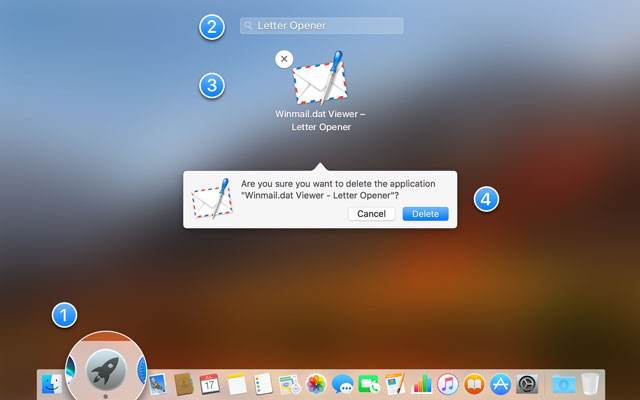
- Open Launchpad

- Type “Letter Opener” into the search bar
- Click and hold the application icon
 until it starts wiggling, then click the x
 to delete the app
 - When prompted press “Delete”
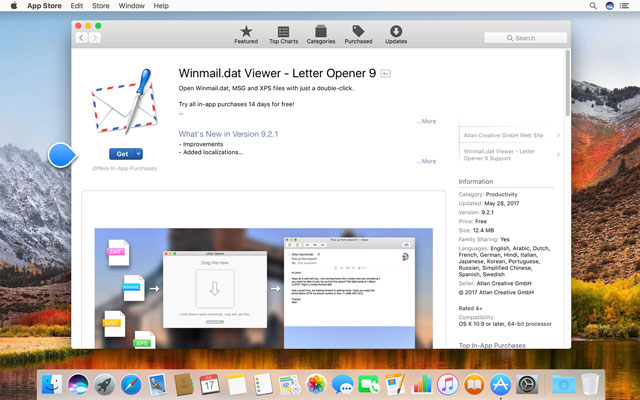
Download on the Mac App Store
Click here to open the Letter Opener page in Mac App Store . Click “Get” and then “Install” to download and install Letter Opener for macOS again.
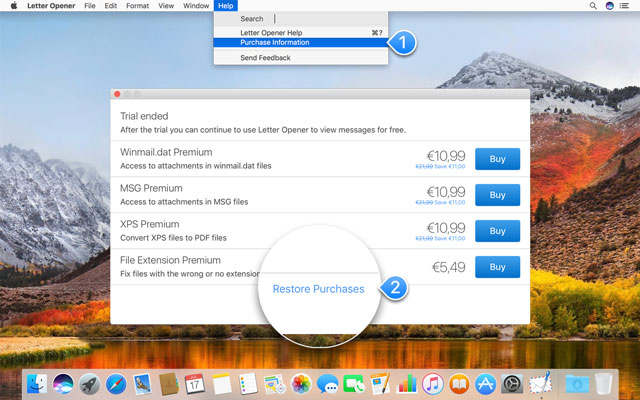
Restore your purchases
To restore any in-app purchases you made before, first open Letter Opener for macOS then go to Help > Purchase Information and click “Restore Purchases” in the following window.